This is the first installment in a three-part series.
Most of you might have dreamed of running an home-lab, many already are. It takes a lot of time (and money) to run and manage a home-lab. I built an sufficiently complex setup with multi service , networking and most importantly easy access. After 3 years lets discuss all the mistakes, know hows, and what works.
Mistakes
1.Not containerizing
Running everything on bare metal is one of the most basic as well as the most time consuming mistake you can make. Running a script here and an app there is easier to do, but nightmare to manage. On top of that good-luck managing dependencies, isolation and a good dashboard of any kind. Using docker/podman solves all the problems mentioned above.
2.Not using docker compose
Similar to running bare-metal. running containers without docker compose or its podman counterpart is not recommended. Although it solves few of the problems mentioned above, it doesn't have any form of easy configuration, version management nor does this approach recommendable. In case writing long commands,but remembering to mention all environment variables, ports, volumes etc every time you start, stop or even change something is neither pleasing nor is easy. Using docker compose solves all those headaches by letting you write a detailed file and needing to memorize few basic common commands.
3.Port based exposure
The first thing we learn to do is expose a service by custom IP:PORT pair. Most of us have once in our home-labbing journey have exposed a web application by port, while this works for one or two service, remembering the exact port-number and the inconvenience it causes is much better solved by using an reverse proxy and custom DNS names (weather bought or made up local domains)
4.Running everything from boot SD card
Although its the cheapest way to get started, staying on the SD card puts strain on it, drastically reducing its lifespan. For better speed and reliability its better to use an external/attached drive
5.Trying to make things perfect
It is very intimidating to perfect our craft on directory structure, planning of projects, networking on the first go. Which its a good thing to wish for although the initial implementation almost always is not what we want. Overthinking on every small details is the most proven way to waste time. Few times I have waster hours perfecting the deployment of a service, only few hours later scraping the whole idea and stopping it.
How I did it first
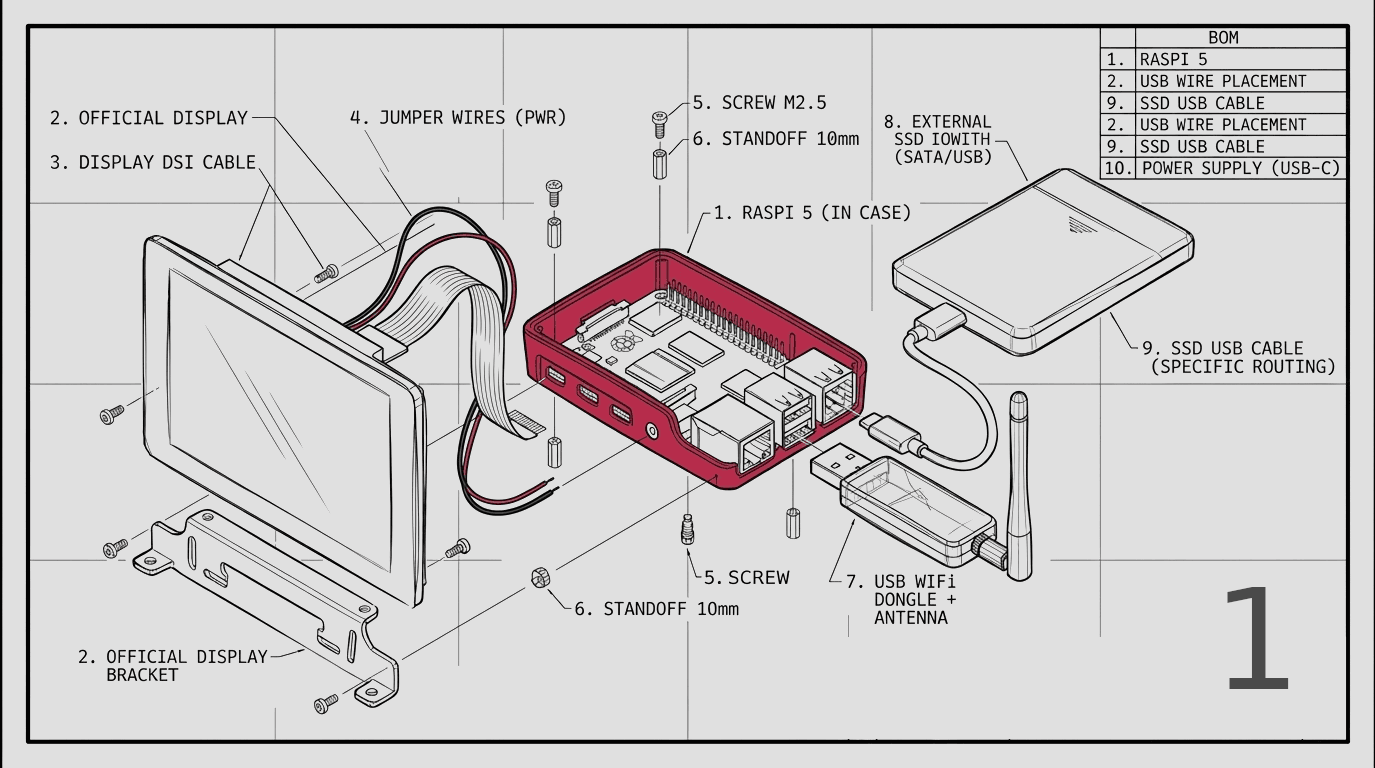
My journey started with a Raspberry Pi5, and the raspberry pi official 7 inch display. After the project I bought it for was over, I repurposed it to start my long wished home-lab. The server started with me reinstalling Raspberry Pi OS, and updating everything
Then followed installation of docker, portainer and my first few application/services
- —Pi-hole
- —Uptimekuma
- —Gitea
- —Minecraft Server
- —Nginx Proxy manager
I started with configuring each of them in portainer, starting with pi-hole. While its add blocking capabilities was not what I installed it for, it was defiantly a welcomed change. The main purpose was for Custom DNS. I created a completely made up domain and set that as a local DNS record pointing to the pi itself
While the configuration later changed but most of the time this was the configuration accompanied by a router. Addition of new services was being done through portainer along with CNAME record in pihole and new configuration into Nginx
This setup sufficed the need for a long time although management of services was tedious. which was solved in later iteration of the overall architecture
Current project details here